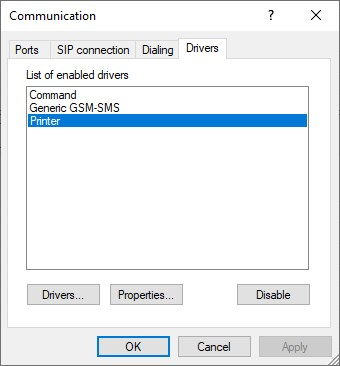
If the Printer driver is not present in the list of enabled drivers, please consult the link below (if necessary, the dll to look for is called WinPrinter.dll):
Driver's FAQ: how to add a communication driver
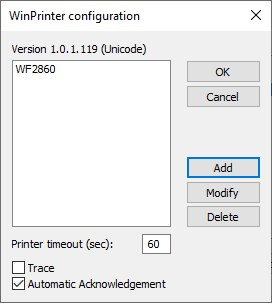
Once the printer is in the list, double click on it.
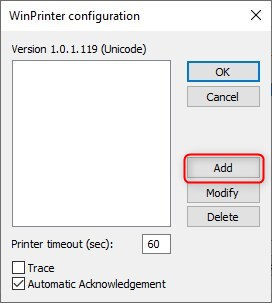
Then click on Add:
Click on the ... button, to the right of the Printer field, 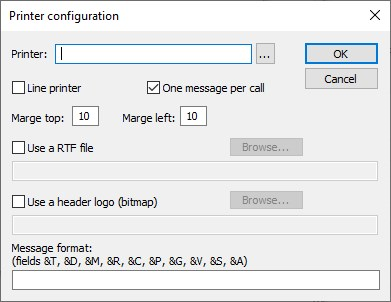
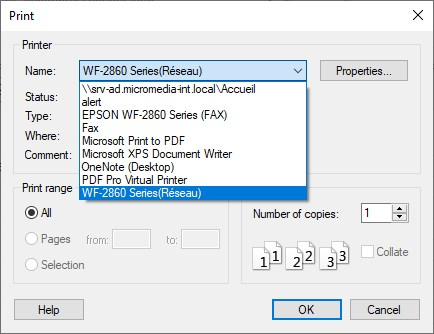
Choose the printer:
 s
s
Note: You can change the name in the Printer field.
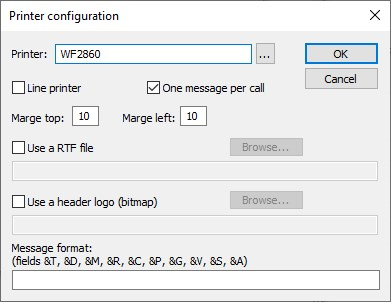
The printer is added -> OK
In User properties\Add...:
->(number type): Printer
-> Number / Address: name of the printer specified in the driver).
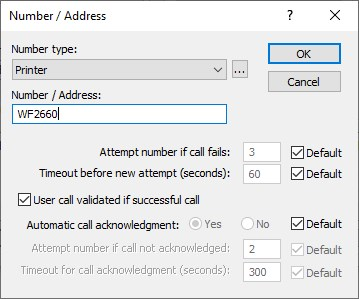
IMPORTANT: The printer name in the Number / Address field must be the same as the one you specified in the Printer field during setup.